Your team's Drive activity, at a glance
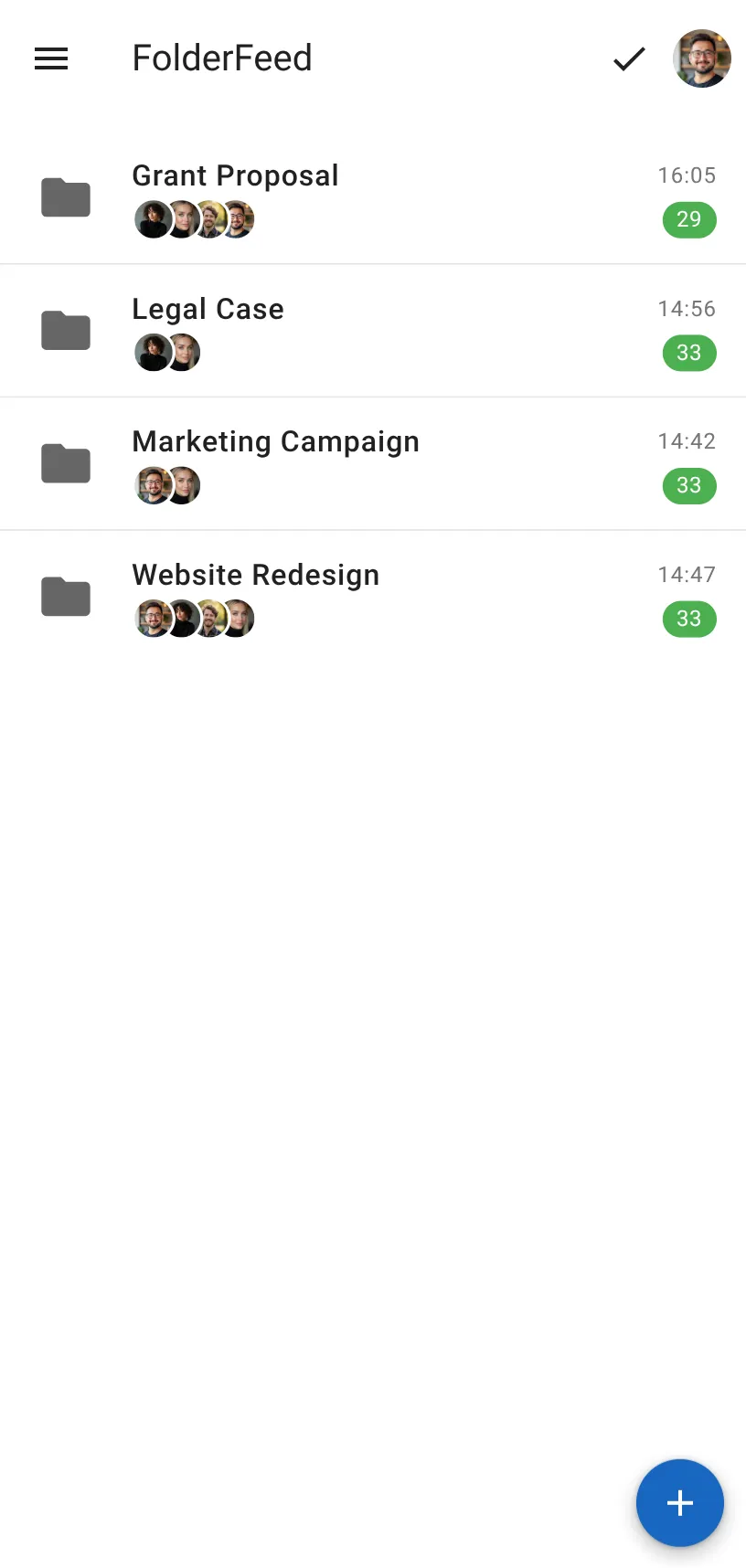
Follow folder activity like a feed — one file per update, only what's new since you last checked. Track edits, comments, and team activity across all your monitored folders.
A feed, not a firehose
FolderFeed turns Google Drive's noisy Activity tab into a clean, "mark as read" feed for every folder you care about.
Track every folder
Monitor as many Google Drive folders as you like — activity from all their subfolders shows up in one place.
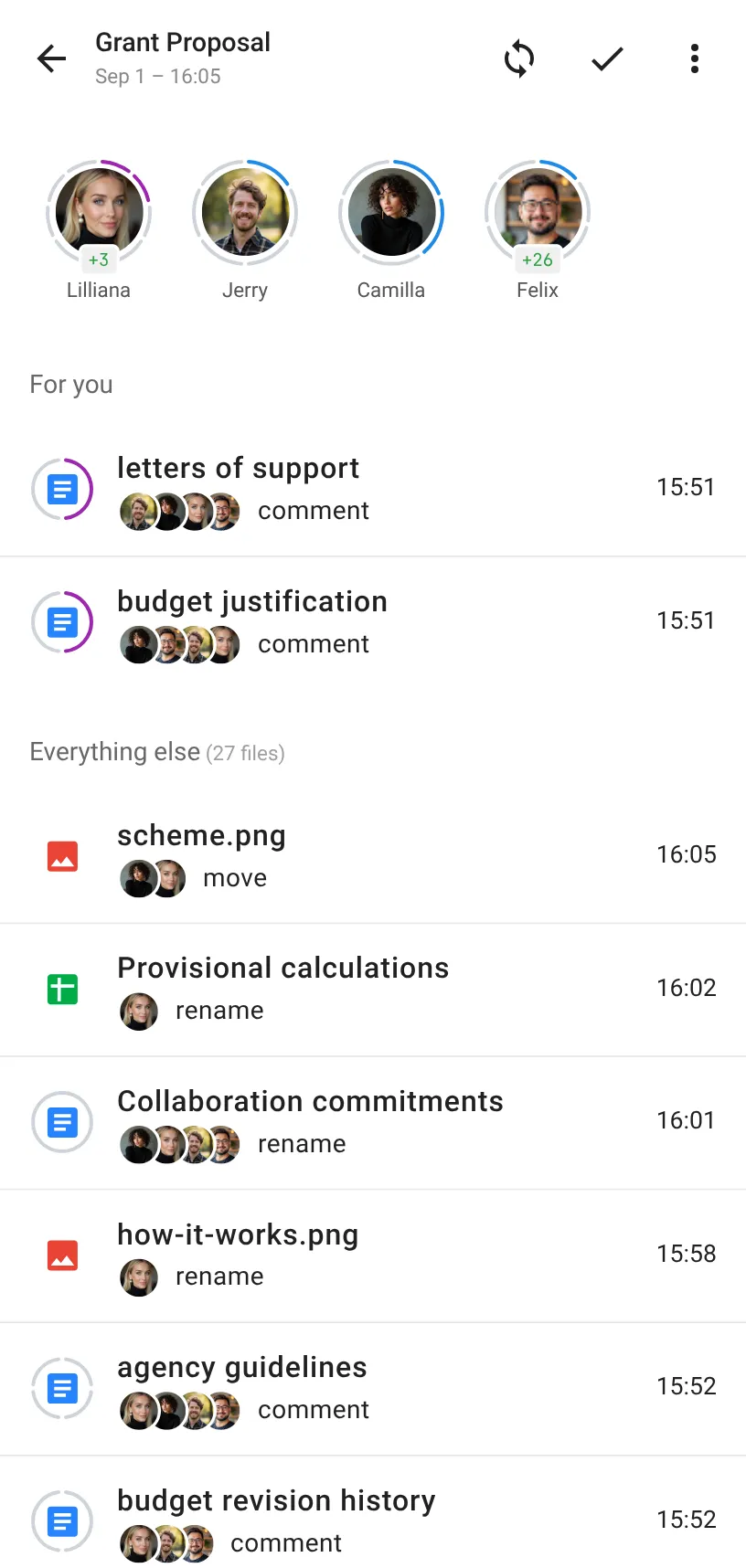
One entry per file
No matter how many times a file is edited or commented on, it shows up once in the feed — not once per update.
Only what changed
Each folder shows activity for a [from, to] time period you choose — just the updates since you last checked.
Sync on your terms
Nothing updates in the background. Click "Sync" to fetch new activity, then "Mark as read" to clear the feed.
Filter by teammate
Zero in on updates from one person to quickly see what they changed or commented on.
Spot new comments at a glance
Rings around avatars and file icons highlight new comments — colored rings for comments meant for you, gray for everyone else's.
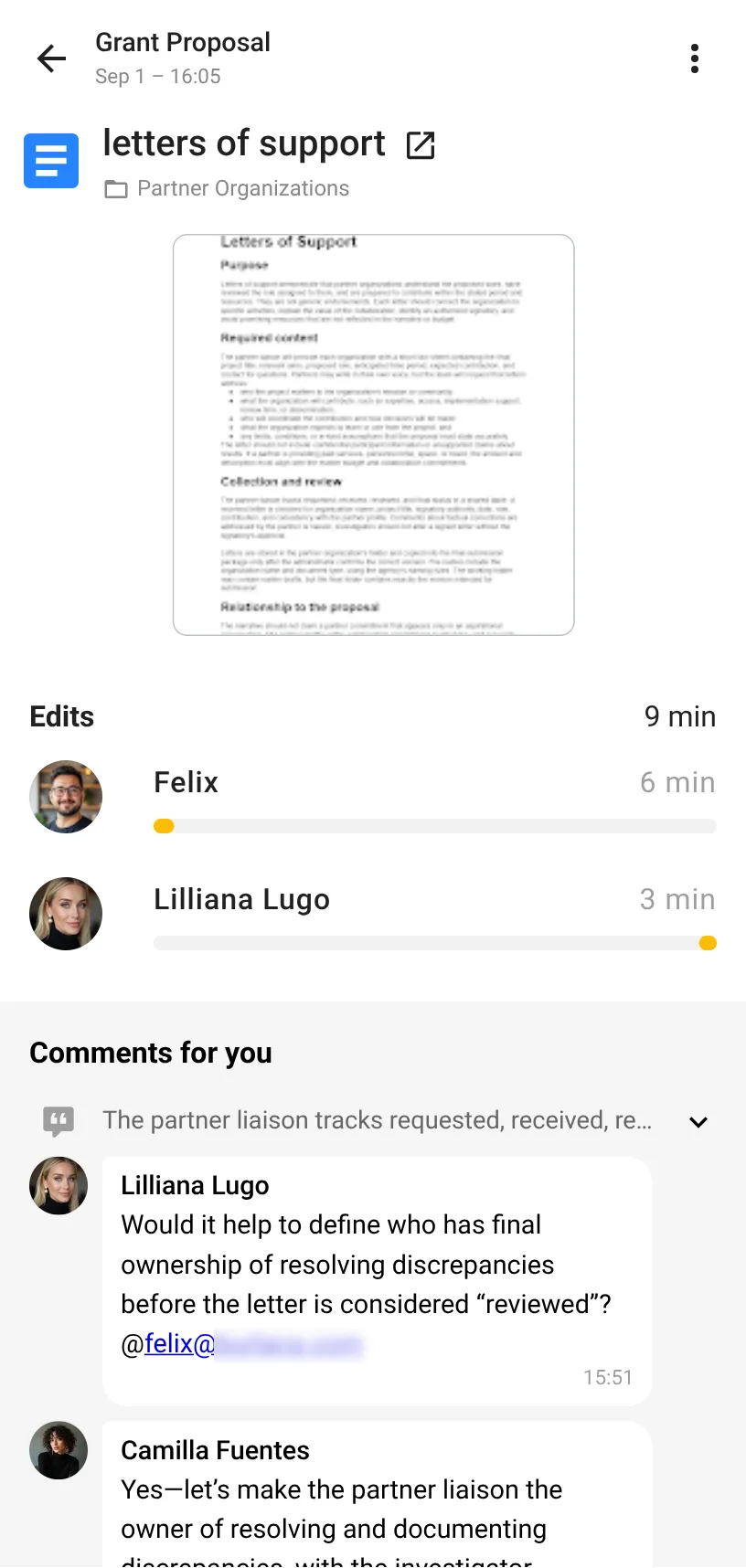
A timeline for every file
Open a file to see the full story — every edit and every comment, in order.
Your Drive stays yours
When you sign in with Google, our app does not get standing or long-term access to your Google Drive.
Temporary access only
Each session, Google gives our app a short-lived access pass that expires in about an hour — never a long-term credential.
No background access
We can't open, read, or modify your Drive files after you close the app. There's no way for us to check in later.
Access only while you're active
Any interaction with your Drive happens only while you are logged in, for the specific actions you take.
You're always in control
Revoke access anytime from your Google Account permissions page — there is nothing left behind the scenes to revoke on our end either.
Frequently asked questions
Yes, but since the data is stored on your device, logging in from a second device will not be in-sync with your first one.
We have no standing access to your Google Drive to begin with — see the Privacy section above for details.
Ready to catch up on Drive activity?
Start monitoring your folders in minutes